


GearUP: Lower Lag Game Booster
4.215.59K Reviews
App Specs
- Version
- 4.0.3
- Updated On
- License
- Free
- Downloads
- 50,000,000+
- Developer
- GearUP Global
- Categories
- Tools
- Platform
- Android, iOS
Screenshots

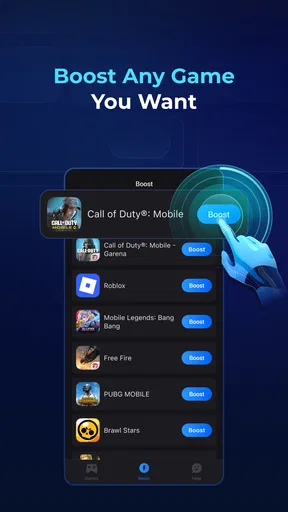
 Analysis by AppCompare
Online games can feel unreliable for reasons that have little to do with a phone’s raw speed. A match may be smooth one moment and frustrating the next because the connection path is unstable, especially when timing matters. I look at GearUP: Lower Lag Game Booster as a tool for that particular problem: it aims to improve the network side of gaming, rather than make a slow device more powerful. That distinction matters. It may help when connection quality is the bottleneck, but it is not a universal fix for every kind of lag.
When a better route matters more than faster hardware
The most useful way to judge a network accelerator is to try it in the situations where connection hiccups are noticeable: a competitive match, a voice chat that keeps breaking up, or a game that feels inconsistent even though other apps load normally. GearUP, made by GearUP Global, is a free gaming tool with a 4.3 average from around 263,000 ratings and over 50 million installs. Those figures suggest that many players have tried it, but the result that matters to me is whether it improves the particular connection I use.
What it can—and cannot—change
GearUP is intended to reduce ping and latency by optimizing a network connection for gaming. That makes it different from a graphics booster or a phone-cleaning utility: it does not make a device render frames faster, and it cannot remove lag caused by a struggling game server, weak hardware, overheating, or a crowded local Wi-Fi network. If the game itself is having trouble, changing the connection route may not solve it.
I would test it in a repeatable way instead of relying on one good match. Play the same game under roughly similar network conditions with the accelerator off and on, and pay attention to interruptions as well as the ping display. A lower number is useful only if the game also feels steadier. If the connection is already stable, the difference may be too small to justify keeping another tool in the routine.
Reading the connection instead of guessing
The app’s real-time monitoring is useful because it gives you a way to observe connection quality rather than judge it from a single frustrating moment. I would treat that information as a troubleshooting aid, not a guarantee that every spike can be prevented. For a fair test, avoid changing several things at once: keep the same Wi-Fi or mobile connection, use the same game, and compare short sessions. That makes it easier to tell whether the accelerator is helping or whether the network simply improved on its own.
There is also a practical limit to what monitoring can tell you. A reading can show that the connection is unstable, but it does not automatically identify the cause. If lag appears only in one game, its servers or routing may be involved; if it affects several online activities, the router, signal, or mobile network may be the more likely place to investigate. I find that distinction helpful because it prevents blaming a booster for a problem it cannot control.
A sensible fit for mobile play
GearUP is most appealing to people who play online games on a phone and notice that their connection behaves differently from one session to another. It may be worth trying before a ranked match, a co-op session with friends, or a game played while travelling, where network conditions can vary. The app is rated for Everyone, and it runs on Android 6.0 or later; its current version is 3.46.6. The app itself is free to install, with in-app purchases ranging from $0.99 to $58.99 per item.
Worth Reading Before You Choose

EA SPORTS FC Mobile 26 Is a Bigger Football Game, but It Takes Time

Flipboard Shows What News Apps Must Do Beyond the Feed

Switching to Android Auto Means Rethinking Your Driving Routine

Google Calendar Makes a Crowded Week Easier to Manage

Ludo King Makes the Most of the Minutes Between Plans

Baby Panda World Brings Quick Play to Modern Phones, but Its Game Library Feels Busy
On mobile data, I would be especially cautious about judging the outcome from a single session. A more stable route does not mean a stronger signal, and no network tool can turn poor reception into a dependable connection. If you are on a limited data plan, check how the game behaves and how much data your normal play uses before making longer sessions part of your routine. The app is aimed at connectivity, not at reducing the amount of game data sent and received.
Where it sits among the usual fixes
Players often start with simpler steps: move closer to the router, switch to a more reliable Wi-Fi network, pause large downloads, or restart a connection that has become erratic. Those are sensible checks, and they can be more effective when the problem is weak signal or local congestion. GearUP is a different option to test when the connection itself is the suspected issue, particularly if basic signal conditions are already reasonable.
I would not treat it as a replacement for those fixes. If several people are streaming on the same Wi-Fi, addressing congestion may do more than a network accelerator. If the phone is overheating or the game is stuttering offline, a connectivity tool is the wrong category of solution. The useful question is not whether GearUP is always better than changing networks, but whether it makes a measurable difference in the conditions you actually play under.
A quick routine for testing it fairly
Before relying on it for an important match, I would choose one game and try a short comparison at a time when the network is usually busy. Note whether delays, disconnects, or sudden jumps feel less frequent, and repeat the check later rather than drawing a conclusion from one session. If results vary, compare Wi-Fi and mobile data separately; switching between them during a test makes the outcome hard to interpret.
It is also worth checking the app’s purchase options before committing to anything. The free starting point is useful for deciding whether the basic approach suits your setup, while optional purchases mean that some choices may involve spending. I would only pay after seeing a consistent benefit in the games I actually play, not because a smoother connection sounds appealing in theory. That keeps the decision tied to experience rather than expectation.
Who should try it, and who may be better off elsewhere
I would recommend giving GearUP a measured trial if you regularly play online matches on a phone and have reason to suspect unstable routing or fluctuating latency. It is also a reasonable experiment for someone who wants connection readings alongside a practical before-and-after test. Players who mainly enjoy offline titles, have a reliably smooth connection, or are dealing with frame-rate drops should look elsewhere first. A router adjustment, a stronger signal, or device-level troubleshooting is more relevant in those cases.
My everyday example would be joining a multiplayer session after getting home, when the household Wi-Fi is in use. I would check that the phone has a decent signal, pause any large downloads I control, then compare a short game session with the accelerator disabled and enabled. If the game remains choppy either way, I would investigate the network or the game rather than keep toggling settings. If it feels consistently steadier with GearUP, I would use it for the sessions where that improvement matters most.
Getting started with GearUP
First things first, downloading and setting up GearUP: Lower Lag Game Booster is a breeze. Available for both Android and iOS, it’s just a quick trip to the Google Play Store or the Apple App Store, and you’re good to go. Once installed, the app welcomes you with a sleek, user-friendly interface that even the most tech-challenged among us can navigate without breaking a sweat.
How does the network optimization feel?
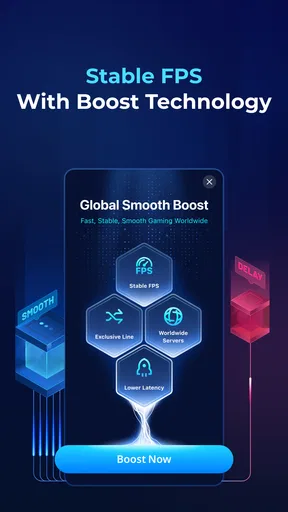
The magic of GearUP lies in its ability to optimize your network connection, ensuring the smoothest possible gaming experience. Essentially, it works by connecting your device to the fastest available server, reducing ping, and minimizing lag spikes. It’s like having a personal IT technician in your pocket, constantly tweaking settings to keep everything running smoothly.
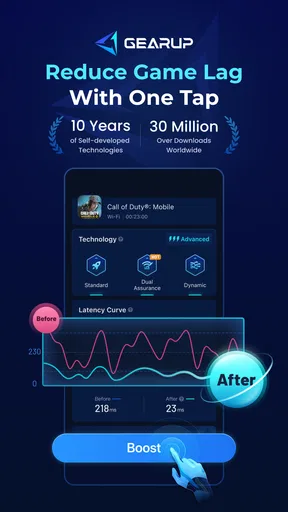
One of the coolest features is the real-time monitoring tool. This nifty little feature lets you see exactly what’s going on with your network connection, giving you real-time updates on ping and stability. It’s perfect for those of us who love to geek out on data and performance metrics.
Performance and features
Okay, let’s get to the juicy part. Does it actually work? After spending some quality time with GearUP, I’ve got to say, it’s pretty impressive. Games that previously felt like they were running on a potato now feel buttery smooth. Whether you’re into fast-paced shooters or massive online RPGs, GearUP seems to handle it all with ease.
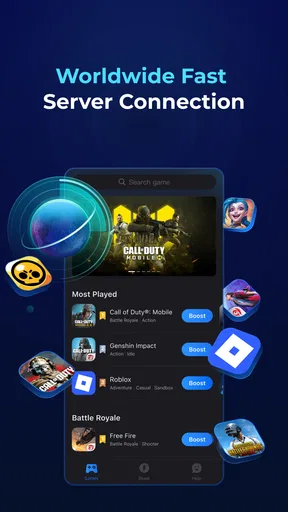
Another standout feature is the customization options. You can tweak settings to your heart’s content, ensuring that the app works just the way you want it to. Whether you prefer automatic optimization or you’re more of a hands-on type, GearUP has got you covered. Plus, it supports a wide range of games, so you’re not limited to just a handful of titles.
Is it worth it?
Now, let’s talk about the million-dollar question. Is GearUP worth your time and possibly your money? The app offers a free version with basic features, which might be enough for casual gamers. However, if you’re a serious gamer looking for the best possible experience, the premium subscription is definitely worth considering. The added features and enhanced performance can make a world of difference in competitive gaming.
My connectivity verdict
So, there you have it. If lag has ever ruined a game for you, GearUP might just be the solution you’ve been waiting for. With its easy setup, powerful optimization features, and real-time monitoring, it’s like having a secret weapon in your gaming arsenal. Whether you’re a casual player or a hardcore gamer, GearUP has something to offer.
In a world where milliseconds can make or break a game, having the right tools at your disposal is crucial. GearUP ensures that you’re always playing at your best, with minimal lag and maximum performance. So why not give it a try and see if it can take your gaming to the next level?
Pros
- Effective at reducing lag in online games.
- User-friendly interface with easy navigation.
- Supports a wide range of popular games.
- Customizable settings for optimal performance.
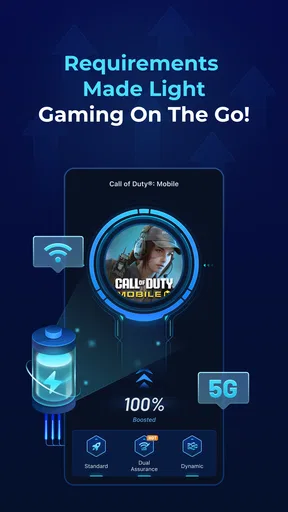
- Minimal impact on battery life.
Cons
- Limited free version features.
- May not work with all devices.
- Occasional connectivity issues reported.
- Requires stable internet for best results.
- Subscription model can be expensive.
FAQs for GearUP: Lower Lag Game Booster
What is GearUP: Lower Lag Game Booster and how does it work?
GearUP: Lower Lag Game Booster is an application designed to enhance your gaming experience by optimizing your device’s performance. It works by freeing up system resources, reducing latency, and managing network traffic to minimize lag. This ensures smoother gameplay and improved responsiveness, making it ideal for gamers who seek a competitive edge.
Is GearUP: Lower Lag Game Booster compatible with all games and devices?
GearUP is compatible with a wide range of games, including popular titles across various genres. It supports both Android and iOS devices, but performance may vary depending on your device specifications and operating system version. It’s always a good idea to check the app's requirements before downloading to ensure compatibility.
Does using GearUP affect my device’s battery life?
While GearUP optimizes your device's performance, it may slightly increase battery usage due to enhanced processing. However, the app is designed to balance performance and energy consumption, ensuring that any impact on battery life is minimal. It's recommended to monitor battery usage during extended gaming sessions.
Is GearUP safe to use, and does it require root access?
GearUP is completely safe to use and does not require root access. It operates within the normal parameters of your device, ensuring no compromise on security or stability. The app is designed to enhance performance without any risk of damaging your device or violating its warranty.
Are there any in-app purchases or ads in GearUP?
GearUP offers both free and premium versions. The free version may contain ads and offer basic features, while the premium version provides an ad-free experience with enhanced features and customization options. Users can choose to upgrade to the premium version through in-app purchases for a more robust experience.


